
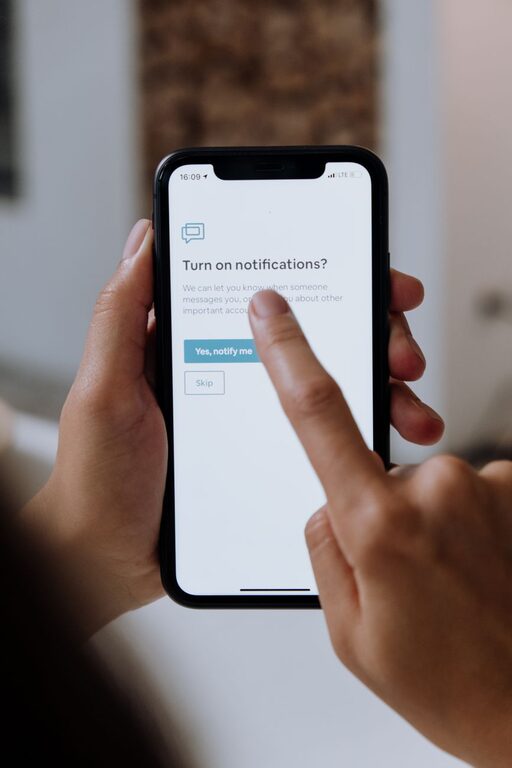
In today’s hyper-connected world, notifications are everywhere—pinging from our phones, computers, and wearable devices. While they help us stay informed, constant alerts can quickly become overwhelming, disrupting focus and increasing stress. Setting clear boundaries with notifications is essential for maintaining productivity and well-being.
This guide offers practical tips to help you regain control over your notifications without missing important updates.
Why Setting Notification Boundaries Matters
Notifications are designed to grab your attention, but frequent interruptions can fragment your concentration. When you respond to every alert immediately, it can lead to:
– Reduced productivity
– Increased stress levels
– Difficulty focusing on important tasks
– Poor work-life balance
Establishing limits around when and how you receive notifications helps create a more mindful, intentional relationship with technology.
Step 1: Audit Your Notifications
Before making changes, take a moment to review your current notifications:
– Which apps send the most alerts?
– Are all of them necessary or urgent?
– When do you usually get notifications—during work, personal time, or both?
Understanding your notification patterns helps identify which alerts to keep, silence, or adjust.
Step 2: Prioritize Important Alerts
Not every notification requires your immediate attention. Here’s how to prioritize:
– Critical alerts: Calls from family, calendar reminders, work messages from key colleagues.
– Useful but not urgent: Social media updates, newsletters, promotional offers.
– Unnecessary: Games, random app updates, irrelevant emails.
Focus on enabling notifications only for the first two categories. This reduces noise and helps you stay tuned to what truly matters.
Step 3: Customize Notification Settings
Most devices and apps let you customize notifications in detail. Consider these options:
– Turn off non-essential app notifications: Disable alerts from apps that don’t add value.
– Use “Do Not Disturb” modes: Schedule times when notifications are muted automatically, such as during meetings or at night.
– Set notification priority: Some apps allow you to mark notifications as high priority to ensure they break through silences only when necessary.
Adjusting settings based on your lifestyle and work habits is key to a balanced notification flow.
Step 4: Batch Notification Checking
Instead of reacting instantly to every alert, try batching your notification interactions:
– Check emails and messages at set times during the day (e.g., morning, lunch, end of workday).
– Turn off push notifications for non-urgent apps.
– Use summary features some devices offer, delivering notifications in groups rather than one by one.
Batching helps minimize distractions and lets you focus on tasks without constant interruptions.
Step 5: Use Technology Tools Wisely
There are tools designed to help manage notification overload:
– Focus mode apps: Temporarily block distracting notifications and apps during focused work sessions.
– Notification management apps: Help organize and filter incoming alerts for better control.
– Smartwatch settings: Customize alerts on wearables separately so you only get what’s important on the go.
Explore options compatible with your devices for personalized notification management.
Step 6: Communicate Your Boundaries
Setting notification limits works best when others understand and respect them:
– Inform colleagues or friends about your “focus hours” or preferred communication times.
– Use status messages or email auto-replies to indicate when you’re offline or not checking notifications immediately.
– Encourage others to use non-urgent communication channels when possible (e.g., email instead of instant messaging).
Clear communication reduces pressure to respond instantly and supports healthier digital habits.
Step 7: Reflect and Adjust Regularly
Your notification needs may change over time. Periodically:
– Review which notifications you actually engage with.
– Update your settings to reflect new priorities or routines.
– Experiment with different boundaries and see what enhances your focus and well-being.
Being flexible and intentional helps maintain a notification strategy that truly supports your lifestyle.
Bonus Tips for Healthy Notification Use
– Turn off sound and vibration for most notifications: Rely on visual alerts to reduce startle effects.
– Limit notifications on weekends or vacations: Enjoy uninterrupted personal time by muting alerts.
– Unsubscribe from unwanted email lists: Fewer promotional emails equal fewer distracting notifications.
– Use visual cues instead of sounds: Some prefer colored LED or on-screen banners over noise.
Small tweaks like these can have a big impact on reducing constant interruptions.
—
By setting thoughtful boundaries with your notifications, you create space to focus, be present, and recharge. It’s about making technology work for you—not the other way around. Start with one or two changes today, and enjoy the freedom that comes with fewer distractions.