
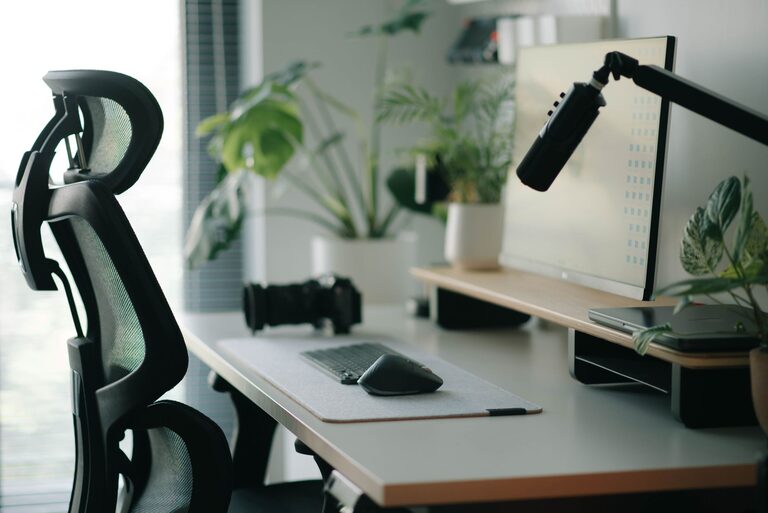
Creating an environment that promotes both focus and comfort is essential, especially if you spend long hours at your desk. Whether you work from home, study, or enjoy hobbies that require a dedicated space, a well-designed desk setup can make a huge difference in your productivity and well-being. In this post, we’ll explore practical tips to help you organize and arrange your desk for maximum comfort and concentration.
Why Your Desk Setup Matters
A cluttered or poorly arranged desk can lead to distractions, discomfort, and even physical pain. On the other hand, a thoughtfully arranged workspace supports good posture, reduces strain, and helps keep your mind clear and focused. Taking time to optimize your desk setup is an investment in your daily efficiency and long-term health.
—
Choosing the Right Desk and Chair
Pick the Desk That Fits Your Needs
– Size: Ensure your desk is large enough to hold your essential items but not so big that you feel overwhelmed.
– Height: Standard desk height is usually around 29 to 30 inches, but adjustable desks or standing desks offer more flexibility.
– Storage: Desks with built-in drawers or shelves help keep supplies organized and within easy reach.
Invest in an Ergonomic Chair
– Adjustability: Look for chairs with adjustable seat height, backrest angle, and armrests.
– Support: Lumbar support is crucial to maintain the natural curve of your spine.
– Comfort: Choose a chair with breathable fabric and sufficient padding for long hours of sitting.
—
Position Your Monitor for Better Focus and Comfort
Your monitor placement affects your posture and eye comfort.
– Eye Level: The top of your screen should be at or slightly below eye level to prevent neck strain.
– Distance: Position the monitor about an arm’s length away to reduce eye fatigue.
– Angle: Tilt the screen slightly upward and avoid glare by placing it perpendicular to windows or using blinds.
Using dual monitors? Arrange them so the primary screen is centered, and the secondary is angled slightly toward you.
—
Organize Your Desk to Minimize Distractions
A tidy workspace supports a tidy mind.
– Declutter Regularly: Remove non-essential items from your desk surface.
– Use Organizers: Pen holders, file trays, and drawer dividers can keep your supplies in order.
– Cable Management: Use clips or sleeves to bundle cables and prevent tangling.
– Limit Personal Items: While photos or small plants add a personal touch, too many can clutter your space.
—
Lighting: Brighten Up Without the Glare
Good lighting reduces eye strain and keeps you alert.
– Natural Light: Position your desk near a window to take advantage of natural daylight.
– Task Lighting: Use adjustable desk lamps for additional lighting when needed.
– Avoid Screen Glare: Angle your monitor and adjust blinds to reduce reflections.
—
Add Comfort with Accessories
Small additions can enhance your comfort and focus.
– Keyboard and Mouse: Choose ergonomic models that fit your hand size and reduce strain.
– Wrist Rests: Help prevent discomfort during extended typing sessions.
– Footrest: Supports posture, especially if your feet don’t comfortably reach the floor.
– Plants: Small indoor plants can improve air quality and create a calming atmosphere.
—
Maintain Good Posture and Take Breaks
Even the best desk setup can’t replace healthy habits.
– Sit Upright: Keep your back against the chair, shoulders relaxed.
– Feet Flat: Use a footrest if needed, so your feet rest flat on the floor.
– Take Breaks: Stand, stretch, or walk around every 30–60 minutes to reduce fatigue.
– Blink Often: Helps prevent dry eyes when staring at screens.
—
Customize Your Workspace for Personal Preferences
Everyone works differently, so personalize your desk setup to suit your style.
– Noise Management: Use noise-canceling headphones or a white noise machine if you need to block distractions.
– Color and Decor: Choose calming or inspiring colors and decorations.
– Temperature: Use a desk fan or heater to stay comfortable.
—
Summary: Making Your Desk Work for You
To sum up, an ideal desk setup balances functionality, comfort, and aesthetics. Focus on ergonomics, organization, lighting, and personal touches. Regularly reassess your setup to ensure it continues to support your work and well-being. With these tips, you can create a workspace that helps you stay focused, comfortable, and productive every day.